These ideas come from How to Be Heard (Julian Treasure), Resonate (Nancy Duarte), The Art of Gathering (Priya Parker), and The Fearless Organization (Amy Edmondson), and everyday practice. The first six help the most. Pick one and try it today.
TIP 1
Why video feels cold, and how to warm it
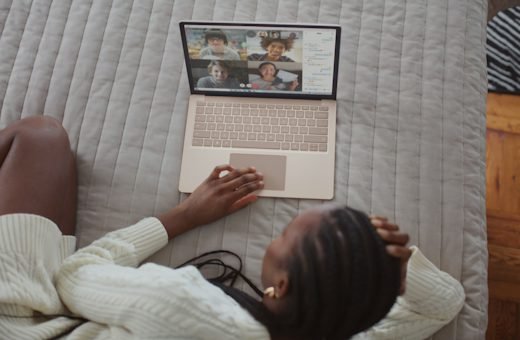
Video calls often feel colder than meetings in a room. The picture is small, the sound is thin, eye contact is off and many of the little signals of closeness are missing. Better light, clear sound and small human touches add warmth on purpose.
TRY THIS Before your next video call, choose one warm touch to add: better light, a warm greeting by name, or a short friendly question before business.
Listen to the full explanation 2 min · American English
TIP 2
Test your setup five minutes early
Few things hurt trust on a call like technical trouble at the start. Five minutes of testing before the call can prevent most problems. Check camera, sound, light, link and battery, every time.
TRY THIS Five minutes before your next call, open the link, check your camera and microphone, look at your light and plug in your charger.
Listen to the full explanation 2 min · American English
TIP 3
Look into the lens when you speak
On video, the natural place to look is at the faces on the screen, but the camera is above, so the other person sees you looking slightly down. Look into the lens when you speak, and they feel seen.
TRY THIS Put a small sticker beside your camera lens. In your next call, look at it for a few seconds at each key point.
Listen to the full explanation 2 min · American English
TIP 4
Greet each person by name as they arrive
When people join a call, they often wait in silence, unsure if they are in the right place. A warm greeting by name, as each person arrives, tells them, ‘You are seen, and you are welcome here.’
TRY THIS At the start of your next call, greet each person by name as they appear, with a smile and a short, friendly question.
Listen to the full explanation 2 min · American English
TIP 5
Start with a human moment, not an agenda
Many calls begin with ‘Let us start, as we have a lot to cover.’ It is efficient, but it feels cold. Begin instead with a human moment: a short, friendly question or a kind word. A minute spent on the person pays back many times.
TRY THIS In your next call, begin with one real question, such as ‘How has your week been?’ Listen to the answer for at least thirty seconds before the agenda.
Listen to the full explanation 2 min · American English
TIP 6
Use your hands inside the frame
On video, hands are often hidden, and the speaker looks like a talking head. Keep your camera far enough away that your hands can be seen, and use gentle, open gestures when you speak.
TRY THIS Move your camera or chair back so that your shoulders and hands are in the frame. Use one open gesture for each key point.
Listen to the full explanation 2 min · American English
TIP 7
Light your face from the front
Light is the cheapest way to improve your video presence. A face lit from the front looks open, warm and trustworthy, while a face lit from behind looks dark or tired. Face a window, or place a lamp in front of you.
TRY THIS Before your next call, turn your desk so that you face a window or place a lamp in front of you. Check your face on screen.
Listen to the full explanation 2 min · American English
TIP 8
Raise the camera to eye level
A laptop on a desk looks up at your chin. This angle is not flattering and makes you look distant. When the camera is at eye level, you look natural and engaged. A stack of books or a simple stand is enough.
TRY THIS Place your laptop on a stack of books so that the camera is level with your eyes. Check your picture on the screen.
Listen to the full explanation 2 min · American English
TIP 9
Close every other window
Customers can see where your eyes go. If you look at other windows or glance at emails, they feel ignored. Closing every other window removes temptation, stops embarrassing pop-ups and protects private information.
TRY THIS Before your next call, close your email, chat and other windows. Turn off notifications, and keep only the call and your notes open.
Listen to the full explanation 2 min · American English
TIP 10
Tidy the background, light the face
The background tells a story. A tidy, simple one tells the customer that you are calm and organised, while a messy or busy one pulls attention away. Light your face, and keep the background plain, with a little warmth.
TRY THIS Look at your video background today. Remove clutter, move bright objects out of view and add one small warm item, such as a plant.
Listen to the full explanation 2 min · American English
TIP 11
Share your screen with care
Sharing your screen is a moment of trust. A clean desktop, a closed inbox and the right window shared protect you both. A slip can expose a private message. Prepare before you share, and keep your voice and face present.
TRY THIS Before your next screen share, close private windows, share only the one window you need and say, ‘I will share my screen now. Can you see it?’
Listen to the full explanation 2 min · American English
TIP 12
Use names in chat and in speech
On video, the name is a bridge. Saying a person’s name aloud, and writing it in the chat, tells them they are seen. It also helps in groups, where people may be unsure who is being asked.
TRY THIS In your next call, use each person’s name at least once, in speech or in the chat, with a thank you or a question.
Listen to the full explanation 2 min · American English
TIP 13
End warmly
How a call ends is how it will be remembered. A rushed ‘OK, bye’ and a click can undo a warm hour. A warm ending, with thanks, a clear summary and a kind word, leaves a glow. Leave a minute at the end.
TRY THIS In your next call, leave the last minute for this: summary of next steps, thanks by name and a kind word. Wait a moment before you click.
Listen to the full explanation 2 min · American English
TIP 14
Follow up personally
After a video call, a short personal message makes the call real. It confirms what you agreed and says, ‘I was paying attention to you.’ Send it within a few hours, short and warm, and mention one personal detail.
TRY THIS Within two hours of your next call, send a three-line message: thanks, what you agreed and one personal detail you remember.
Listen to the full explanation 2 min · American English
TIP 15
Check your sound first
On video, sound matters more than picture. If your picture is poor, people forgive it, but if your sound is poor, they tire and stop listening. Check your microphone, speakers and room first, every time.
TRY THIS Before your next call, record yourself for ten seconds and play it back. Check for echo, noise and low volume, and fix what you hear.
Listen to the full explanation 2 min · American English
TIP 16
Use a headset or a good microphone
A good microphone is one of the best investments for your work. A simple headset or a small desk microphone makes your voice warm, close and clear, while a laptop microphone often sounds thin and distant.
TRY THIS If you do not have one, look for a simple headset or desk microphone this week. Test it by recording yourself with and without.
Listen to the full explanation 2 min · American English
TIP 17
Frame yourself well
Framing means how you sit in the picture. A good frame shows your head, shoulders and a little of your chest, with a small space above your head. Too close feels intense, and too far makes you small and distant.
TRY THIS Before your next call, adjust your camera so that your eyes are about one third from the top, with a small space above your head.
Listen to the full explanation 2 min · American English
TIP 18
Wear clothes that look good on camera
Some clothes look good in a room but poor on camera. Fine stripes and small checks can flicker, and very white or very black clothes can confuse the light. Solid, medium colours with a neat collar look calm and clear.
TRY THIS Test your planned outfit on camera before the call. Replace anything that flickers, glares or washes you out.
Listen to the full explanation 2 min · American English
TIP 19
Smile when they join
The moment a customer’s face appears, they look for your face. A real smile at that moment sends the strongest welcome possible. It tells them you are glad to see them, before you say a word.
TRY THIS In your next call, smile as each person’s face appears, with your eyes as well as your mouth. Then say their name.
Listen to the full explanation 2 min · American English
TIP 20
Nod so that they can see it
In a room, people nod and say ‘mm’ and ‘yes’ as they listen. On video, small nods can disappear, and silence can feel like a freeze. A clear, slow nod, big enough to see, tells the speaker you are with them.
TRY THIS In your next call, nod slowly and clearly when the other person makes a point. Add a soft smile, and an occasional ‘yes’ if the sound allows.
Listen to the full explanation 2 min · American English
TIP 21
Pause for the delay
Video calls have a small delay between speaking and hearing. If you reply too fast, people talk over each other. A short pause after the other person finishes, about one second, solves most of it and makes you sound thoughtful.
TRY THIS In your next call, count one second in your head after the other person stops speaking, before you reply.
Listen to the full explanation 2 min · American English
TIP 22
Do not talk over people
Talking over people is rude anywhere, and on video it is worse. The sound clashes, nobody can be heard and the speaker may feel cut off. Let each person finish, and then speak.
TRY THIS In your next call, wait until the speaker has stopped for one second before you speak. If you interrupt by mistake, say sorry, and give the floor back.
Listen to the full explanation 2 min · American English
TIP 23
Use the mute button kindly
The mute button is a small tool with a big effect. Muting when you are not speaking keeps noise away, but a muted face can look blank, and forgetting to unmute causes ‘you are on mute’. Mute for noise, unmute with a smile, and stay visibly present.
TRY THIS In your next group call, mute when not speaking, but keep your face warm and nod. Unmute before you speak, with a smile.
Listen to the full explanation 2 min · American English
TIP 24
Invite quiet people by name
On video, quiet people can become invisible. Louder voices fill the space, and the quiet ones may feel there is no gap. A kind, direct invitation by name, such as ‘Priya, what is your view?’, brings them in.
TRY THIS In your next group call, invite one quiet person by name, ask an open question and wait at least five seconds for the answer.
Listen to the full explanation 2 min · American English
TIP 25
Use polls and chat
Polls and chat give everyone a voice, including the quiet and the shy. A quick poll shows the mood of the group, and the chat lets people ask questions without interrupting. Keep them simple: one clear question, one clear reason.
TRY THIS In your next group call, ask one simple poll or chat question, such as ‘Type one word for how you feel about this plan.’ Read two answers aloud, by name.
Listen to the full explanation 2 min · American English
TIP 26
Keep slides few and clear
On video, slides compete with your face. Too many words and too many slides tire the eyes and hide you. A few clear slides, with large text and one idea each, keep people with you.
TRY THIS Before your next call, cut your slides to the minimum. Use one idea per slide, large text and no more than six words in a line.
Listen to the full explanation 2 min · American English
TIP 27
Use the first minute well
The first minute of a call sets the tone for the next fifty. Use it for three things: a warm welcome, a clear purpose and a promise about time. This helps people relax, focus and trust that you respect their day.
TRY THIS Write your first-minute script for your next call: welcome, purpose, time. Say it aloud once before the call.
Listen to the full explanation 2 min · American English
TIP 28
Handle tech problems with humour
Technology fails, and it fails at the worst moments. How you handle it shows more about you than the failure itself. A calm, light, good-humoured reaction turns a problem into a moment of connection.
TRY THIS Prepare one calm, light sentence for tech problems, such as ‘Technology and I are having a moment. Give me a second.’ Say it aloud once.
Listen to the full explanation 2 min · American English
TIP 29
Make eye contact through the lens
Eye contact on video is a gift, but it asks for a habit. When you look into the lens, the other person feels that you look at them. Use it at the moments that matter: the greeting, a promise, an apology and a thank you.
TRY THIS In your next call, look into the lens for these four moments: your greeting, a promise, an apology if needed and your thank you.
Listen to the full explanation 2 min · American English
TIP 30
Show warmth to the whole group
In a group call, each person wants to feel seen, not just the one who speaks. Smile at the faces, say thank you to all and give every person a small sign of attention. A group that feels warmth starts to share it.
TRY THIS In your next group call, look at each face on the screen at least once, smile and say one short thank you to the whole group.
Listen to the full explanation 2 min · American English
TIP 31
Take notes openly
On a video call, the customer cannot see your hands or your desk. If you look down and type, they may think you read email. Say, ‘I am taking notes so that I get this right,’ and look up often.
TRY THIS At the start of your next call, say, ‘I will take notes so that I get this right.’ Then take short notes and look up often.
Listen to the full explanation 2 min · American English
TIP 32
Take breaks in long calls
Long video calls are tiring. Eyes, neck and attention all suffer. A short break every hour keeps people fresh and kind. Offer a break before people need to ask. It is a quiet form of care.
TRY THIS In your next long call, schedule a five-minute break at the halfway point. Say, ‘Let us all look away from the screen for five minutes.’
Listen to the full explanation 2 min · American English
TIP 33
Make the call shorter
Many calls are longer than they need to be. A shorter call respects people’s time and keeps energy high. Fifteen or twenty-five minutes is often enough. When you end early, people are glad and trust you more.
TRY THIS For your next call, plan it for twenty-five minutes instead of thirty, or forty-five instead of sixty. Send the agenda and materials before.
Listen to the full explanation 2 min · American English
TIP 34
End with a clear next step
A call without a clear next step leaves people confused. Before you end, say the next steps aloud, and write them in the chat. Keep it simple: one action, one person, one date.
TRY THIS At the end of your next call, say the next steps aloud, naming who will do what and by when, and write them in the chat.
Listen to the full explanation 2 min · American English
TIP 35
Thank people by name at the end
At the end of a call, a personal thank you leaves a warm feeling. Thank each person by name, and say one specific thing you appreciated. ‘Thank you, Daniel, for the clear figures’ means more than ‘Thanks, everyone.’
TRY THIS At the end of your next call, thank each person by name for one specific thing. Look into the lens as you do.
Listen to the full explanation 2 min · American English
TIP 36
Send a warm follow-up
A warm follow-up is the last part of a good call. It should be a short, kind message, with one personal line, that makes the person feel remembered. Send it quickly, in the hours after the call.
TRY THIS After your next call, send a three-line message: thanks, one thing that stayed with you and the next step. Send it within two hours.
Listen to the full explanation 2 min · American English
TIP 37
Record only with permission
Recording a call without asking can destroy trust in a second, and in many places it is also against the law. Always ask first, say why and say what you will do with the recording. If anyone says no, respect it.
TRY THIS Before you record any call, ask, ‘Do you mind if I record this, so that I can write accurate notes? I will delete it after.’ Wait for a clear yes.
Listen to the full explanation 2 min · American English
TIP 38
Handle pets and children kindly
Home working brings pets, children and visitors into the picture. How you handle a surprise shows your humanity. A warm smile and a calm greeting often win hearts. Do not scold or panic. Say hello, and carry on.
TRY THIS Prepare a calm, warm line for surprises, such as ‘Excuse me for a second. This is my helper.’ Practise it, and use it with a smile.
Listen to the full explanation 2 min · American English
TIP 39
Turn your camera on when it helps
Cameras are not always needed, and constant video can tire people. But a camera on at the right moments, such as at the start, at key points and at the end, builds trust. Choose with care, and never force it.
TRY THIS In your next call, turn your camera on for the greeting, for key points and for the goodbye. Invite others kindly, and never insist.
Listen to the full explanation 2 min · American English
TIP 40
Make hybrid meetings fair
In a hybrid meeting, some people sit in a room and others join by screen. The people in the room can dominate, while those on screen can feel like ghosts. A fair meeting treats everyone as equals. Plan for the remote people first.
TRY THIS In your next hybrid meeting, ask the remote people to speak first, and ask the room to use the microphone for every comment.
Listen to the full explanation 2 min · American English
Easy things to say
When you are stuck, pick one of these. They work in many sales conversations.
HELLO
“Hello Maria, it is great to see you.”
SETUP
“Can you hear me clearly?”
WARM
“Thanks for joining.”
PAUSE
“Let me share my screen.”
CHECK
“Can you see it okay?”
CLOSE
“Thank you, talk soon.”
Your first week
One small action a day. Each day is only a little bigger than the last.
DAY 1 Raise your camera to eye level
DAY 2 Check lighting
DAY 3 Test your microphone
DAY 4 Look at the camera when speaking
DAY 5 Smile at the start
DAY 6 Reduce background noise
DAY 7 Review a recording
Further reading
How to Win Friends and Influence People (Dale Carnegie)
The Go-Giver (Bob Burg and John David Mann)
The Trusted Advisor (David Maister and others)
The tips above are written in our own words and are general guidance. The books are suggestions for further reading.